
Designing Accessible Experiences
Experiences, whether physical or virtual, should meet everyone’s needs. I believe strongly in the message “nothing about us without us” and work to be sure relevant voices are included.
Creating products and experiences that are accessible to everyone, opens up the market to a wider audience, and makes sure not to exclude potential customers. By designing for accessibility, we are ultimately creating a better experience for all users.
5% of the population (2 million people) with diabetes loses their vision. It was important to understand how to support this population with Dexcom’s products and services via Siri requests.
Siri Shortcuts for Blind and Sighted Customers
Providing alternative ways of accessing app data could benefit users with disabilities and the broader user base. The project goal was to focus on Siri shortcuts integration, with an eye towards later integration in Android, Alexa, and other voice-controlled services.
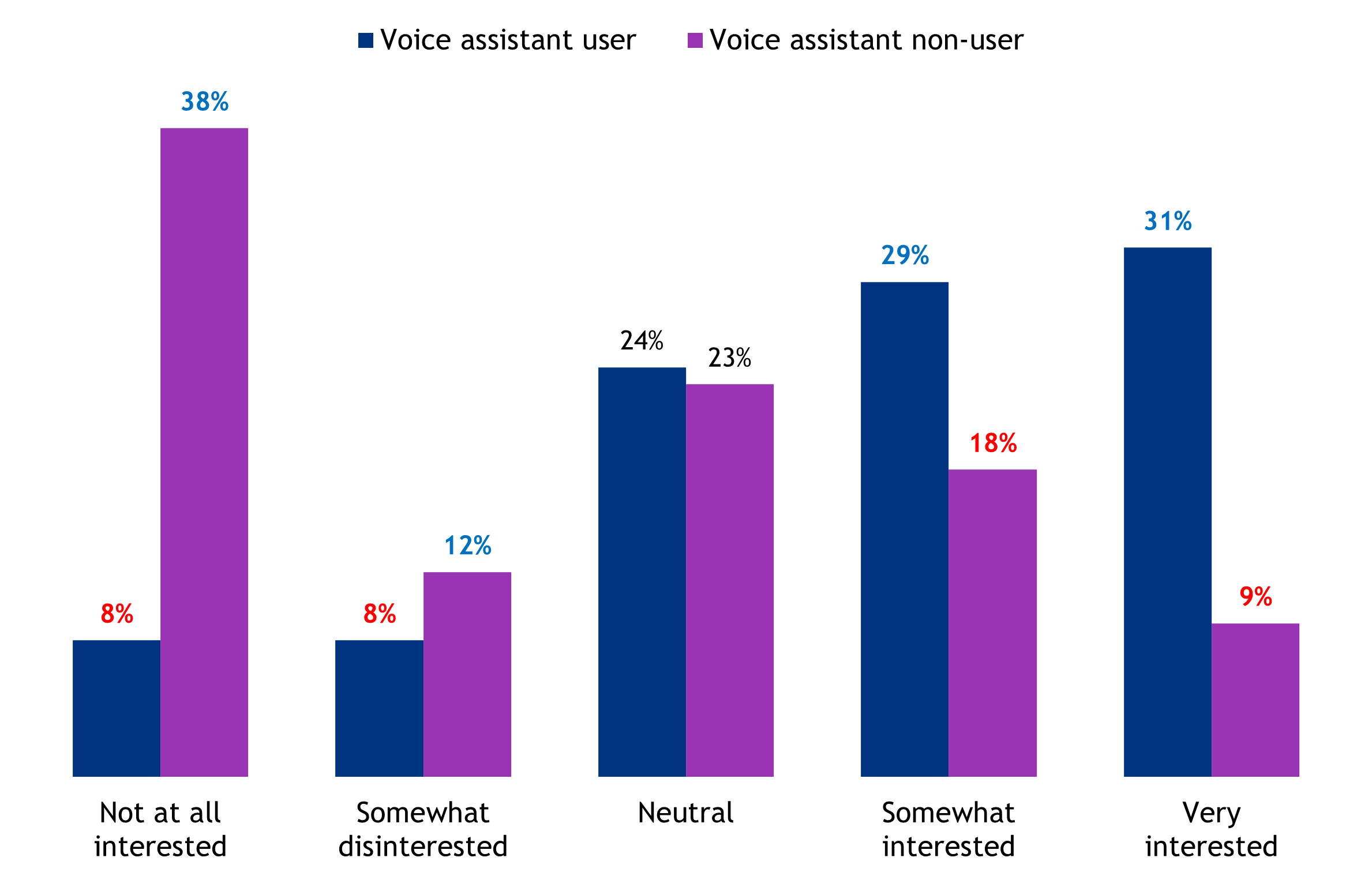
In general, how interested are you in the idea of using a voice-activated assistant (like Apple’s Siri) to get your Dexcom data?
In Conclusion
Individuals who were blind became overwhelmed my more data than they asked for, yet sighted users were content with the summary information. When Siri reads out the data, it’s important to remember that not everyone wants to broadcast their health information verbally, even if that’s the easiest method of access. Other requests included not reading out modifiers for numbers (eg, mg/dl), read out only recent data and if nothing else, provide average glucose upon request.
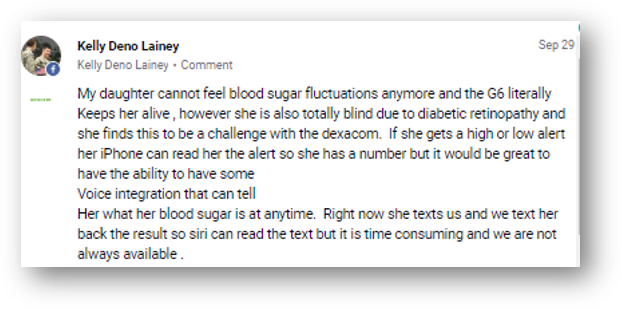
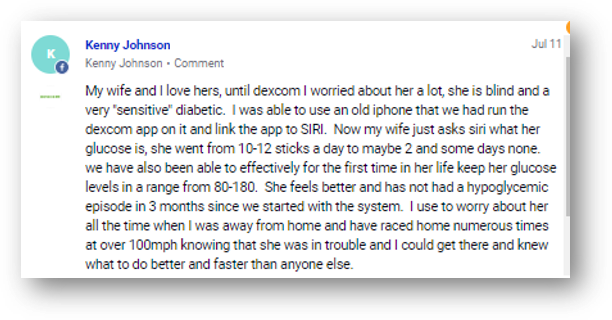
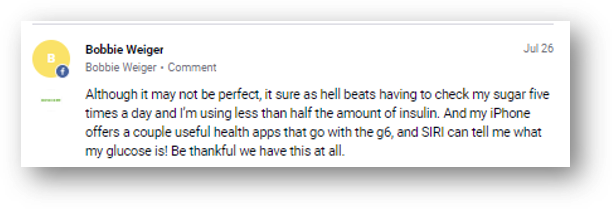
Social Media proves a need for this feature
Not surprisingly, interest in using a voice-activated assistant to get Dexcom data is largely tied to a patient’s current usage of such a device.
Over half of current voice assistant users are at least somewhat interested in this idea, while roughly half of non-users are not interested.
Just over a quarter of voice assistant non-users are interested in the idea of using a voice-activated assistant to get their Dexcom data.
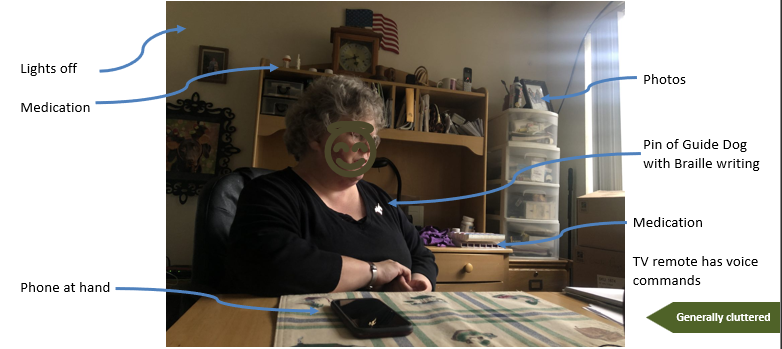
In home ethnographies helped to better understand the lived experience of people with low/no vision
Where do we start?
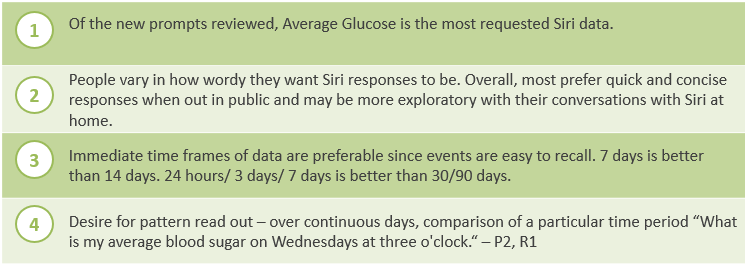
What prompts are most useful?
Key insights on Siri usage
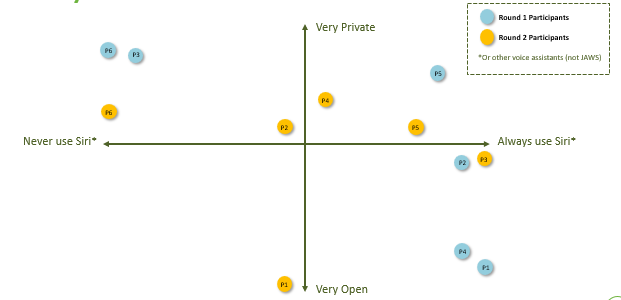
Privacy Vs. Siri Use
Not all G6 users knew they could ask Siri about their glucose levels.
For sighted users, voice assistants can be fun or they may not provide them with everything they need.
“I can see myself chilling in bed and ask ‘hey how am I doing’ and it gives me this [data]” –P3 (R2)
For blind users, the voice assistant gives them access to critical data they may not get otherwise.
"I get the readings, but there's always something going down or going up that Siri won't tell you." -P1 (R1)
General insights on understanding glucose data
Blind participants (Round 1) were more polarized in use/non use of Siri.
Sighted participants (Round 2) use of Siri was more random in this small set.\
"{Talking watch} Saying here it's 5:43 and you're like, oh, there's another person is visually impaired or blind somewhere over there...So much of a person with a disability, their privacy is not purposely taken away, but their independence, we really have to fight for it. - P5 (R1)
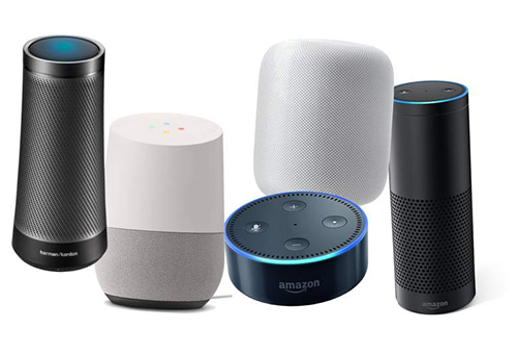
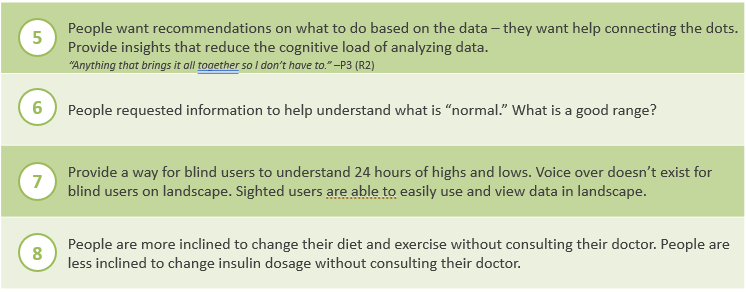
Siri can be useful for both reading out data and connecting the dots
As data is added to the app, expectations rise for helping patients make sense of that data. How a person asks for data is less important than what they can do with what they get back.
Reading out Time in Range, GMI and Average Glucose is a great first step in accessibility and engagement
As people engage more, their expectations rise quickly, and they want to know not just the numbers but also:
Is that a good reading?
How are others like me doing?
What are my patterns for highs and lows?
What was my blood sugar like last Saturday at this time?